


FlashGet Kids Features
Browser Monitoring
Browser monitoring ensures the best way to monitor and manage how your kids surf the internet on your device.
Available on:
iPhone/ iPad
Android
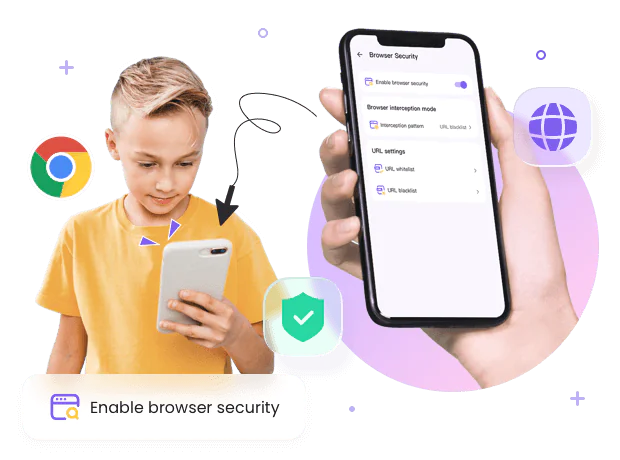
Go deeper with browser monitoring, browse safer with assurance
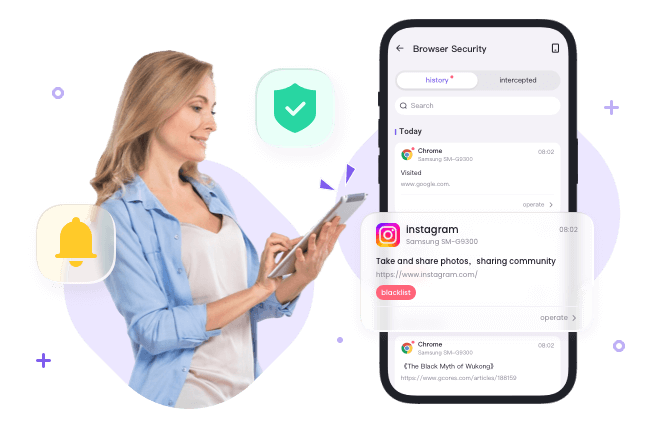

Browsing monitoring makes protection even easier
Browsing monitoring comes with live tracking and notifications. Explore what they visit and discover what really captures them. Everything they surf is now directly delivered to your phone.
- Monitor searches and identify search matters to family the most.
- Get insights into how your kids interact with the website.
- Stay updated with live notifications and track browsing history in real-time.
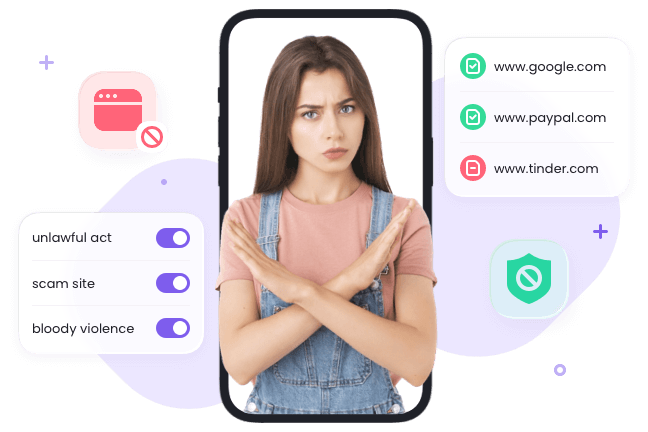

The best website blocker, Your strongest safeguard for browsing
Block any distractions and explicit, harmful websites with the best website blocker. Manage how they surf the web and help develop healthy digital footprints. — Your peace of mind, their safe browsing.
- Improve your productivity by blocking distractions.
- Website blocker identifies harmful content and enhances your family protection.
- Block any threats and add more privacy and personalization to browsing.


More options with internet filters, Fewer distractions with browsing experience
Safer web protection powered by the internet filter. Ensure most-visited websites are safe and whitelist trusted sites as a safe space. Unlock the category to restrict access to reduce uncertainties.
- Filters websites by category and search engine are personalized just for your family.
- Review browsing history and whitelist the most-visited sites.
- Track suspicious websites and blacklist them for added protection.
How to Manage Browser Safety via FlashGet Kids?

Install
Install FlashGet Kids on parents’ devices.

Register
Register a FlashGet account and then sign in.

Bind
Bind children’s devices to parents’ devices and connect them.
Get a complete guide of FlashGet Kids Browser Monitoring
Why do you need Browser monitoring?
-


Ensure safe browsing
Browsing safety concerns have always been the priority for parents. Browser monitoring is a way to reduce the concerns effectively. When safe browsing works, users can protect their privacy, avoid cyber threats, and enhance online safety. With FlashGet Kids Browsing monitoring, parents can monitor kids browsing history and limit their access to some websites to ensure your kids have a safe browsing experience.
-

Block Harmful Websites
Harmful websites can contribute to issues, especially for kids. And kids are easily exposed to online content. So blocking harmful websites matters. FlashGet Kids is the best website blocker for families to block access to the websites. Parents can block such as adult, violent, or otherwise harmful content. When parents set up browsing monitoring, parents can use customized monitoring and blocking features.
-

Reduce digital footprints
Being exposed to different websites is not a safe way to explore the websites because they may be used as a way for crime, especially for kids without digital supervision. To reduce digital footprints for your family, you can use FlashGet Kids internet filter to customize the most-visited website as your family whitelist. So in this way, you can have more chances to protect your family’s privacy as well as personal information.
-

Prevent Cyber Threats
Unknown websites can have malicious attacks, scams, and even crime, which are detrimental to kids development. And kids can be fooled by those deceptive websites and pop-ups. Despite the fact that cyber threats are not easy to eradicate, parental control apps could offer help. With FlashGet kids browser monitoring, parents could easily identify websites and add potentially risky websites as blacklists for added security.
-

Minimize cyberbullying and exploitation
Cyberbullying and exploitation are growing safety concerns. In addition, Exposure to risky websites will add costs to protection. Certainly, Minimizing cyberbullying and exploitation is a critical aspect to ensure a safe space for family. Parental control is the best way to reduce them. With browser monitoring, parents can block content like hate speech, threats, or abusive language to create a better space for the family.
-

Encourage healthy digital behavior
Encouraging healthy digital behavior is a way to balance technology with daily life. In today’s age, kids are spending an amount of time on technology. And regulating their browsing experience can help kids to develop their digital behavior. Also, by providing a healthy browsing environment, families can be more aware of those online risks and they will be able to browse the web easier and safer

FAQs
What is Browser Monitoring?
Browser monitoring is designed to track website history, filter out content and block access to certain websites. It has real-time browsing history tracking, best website blocker, internet filter.
How to use Browser Monitoring on FlashGet Kids?
Parents can use FlashGet Kids and then tap Browser Safety to configure the web that your family often use. You can both whitelist and blacklist a site to better customize your surfing needs.
What is the website blocker?
The website blocker is designed to block access to the websites. Parents can block distraction, and adult content, reduce scams and online attacks, and even parents can customize URLs that kids’ browse.
What is the best website blocker?
FlashGet Kids is millions of household choices. FlashGet Kids has the best website blockers with multiple features. You can block any websites and even customize the whitelist for families.
What does an Internet filter do?
Internet Filter lets you manage content across the web and help you better control and avoid cyber threats. You can use FlashGet Kids Internet Filter to filter out any content and websites for your family.
How to block pornography?
FlashGet Kids is the best website blocker. It can successfully block pornography on devices. You can block any apps and websites you want. To block pornography, you can add URLs to the blacklist on FlashGet Kids browser safety. And then enter the specific pornography site. And tap confirm to block pornography.