


Today, raising children in the highly connected world presents an unparalleled set of challenges to modern families. Parents are often torn between the need to protect children and their desire to allow them more independence with technology. This conflict raises an ongoing question: Is using a parental control app a good measure of protection or a form of intrusive spying?
This article delves into the key concept behind the parental control tools. We’ll discuss generational viewpoints on digital privacy and offer ethical strategies and practical solutions to help families navigate digital privacy.
What counts as a parental control app?
Parental control apps are tools that allow parents to control, limit, and guide their children’s online activity on mobile devices. These apps function as a virtual “guardrail.”
They assist in ensuring that a youth is exploring what is age-appropriate and safe online. Most common applications are models with a set of standard features, including:
- Screen time management. For defining daily limits or time-scheduled intervals for downtime.
- App blocking. Limiting access to inappropriate games, social media or messaging applications.
- Content filtering. Blocking explicit sites, violent media or unsafe search engine results.
- Location tracking. Using GPS technology to track a child’s live location for his/her safety.
- Browsing history monitoring. Checking for risks on websites visited and searches performed.
Be aware that not all parental control tools are the same.
Apple Screen Time and Google Family Link are integrated into their operating systems. They include on-screen dashboard controls that parents and children can see. Cross-platform apps such as Qustodio and FlashGet Kids offer powerful tracking features for multiple devices.
FlashGet Kids actually goes a step further. It offers a wide array of options, including location tracking, geofencing, screen time management, and app blocking.
Range, however, is important. Some parental apps are transparent, so both parent and child can access them and send or approve requests. Others run silently and pick up data that the child is not even aware is being collected.
Is using a parental control app spying?
Determining whether monitoring amounts to spying is more about the perception than the technology. Parents and their children often see the same app from a different perspective based on generational experience, intent and trust.
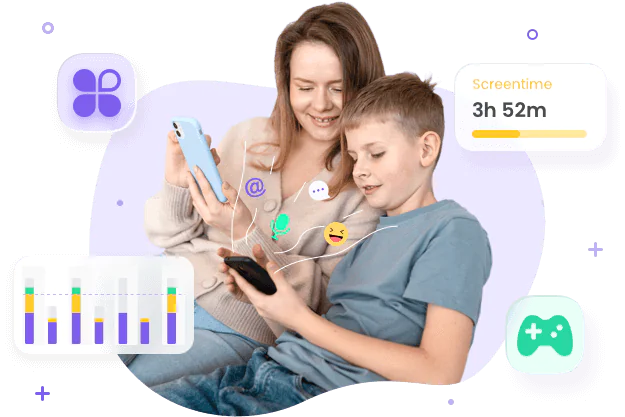
The parental perspective: legitimate concerns driving monitoring
The majority of parents who install monitoring software aren’t looking to spy on everything their children do. They’re reacting to a digital world that is foreign and at times uncomfortable.
Parents have always had a duty of care, both offline and online. Keeping tabs on a kid’s online behavior can be an organic extension of that responsibility. Therefore, a monitoring app provides easy comfort.
For instance, knowing your child arrived home safely and setting screen time restrictions can help reduce anxiety throughout the busy day. This is particularly important for children or teens who have their first mobile phone.
The child and teen perspective: the fundamental need for privacy
In a young person’s eyes, monitoring may mean distrust and betrayal, creating tension between parents and child.
Teens especially feel the need for digital boundaries, a place where they can chat with their friends or indulge in a personal interest without being constantly watched. Adolescence is also a sensitive period in which young people develop independence, a sense of identity and autonomy.
Over-monitoring could make them reluctant to speak up, hide online behaviors, or find workarounds. This can interfere with healthy growth processes and result in resentment or a weakening of self-regulating ability, which are important for adulthood.
The line between spying and responsible parental controls
Responsible digital parenting is very different from ‘big brother is watching you’. UNICEF report points out that children’s rights include privacy and autonomy, which should not be overridden by protection-only approaches. Knowing the signs when parental controls are crossing the boundary is vital to having a healthy family relationship.
| Aspect | Responsible parental controls | Covert spying |
| Transparency | Explicitly discussed and installed together. | Hidden or running secretly. |
| Primary Intent | Protection, education, and safety. | Constant suspicion and it monitors far more than necessary for safety |
| Data Scope | Broad limits (Screen time, app categories). | Reading all private text conversations. It continues unchanged into older teenage years |
Too much parental monitoring often has counterproductive consequences.
Children who are tech-savvy will pursue workarounds. They could use secondary hidden devices, unmonitored Wi-Fi networks or encrypted burner apps. This normalizes dangerous behavior and renders actual parental protection impossible.
On the other hand, ethical digital parenting involves collaboration and communication. It has more to do with establishing limits, rather than reading every private chat, which usually includes:
- Clear communication about what is being monitored
- Agreement on boundaries and expectations
- Gradual reduction of monitoring as children mature
- A focus on safety rather than total visibility
Best practices for families who need parental control apps
Ethical use of parental control means parents use it to enhance protection and guidance, not as a substitute for communication and education. Parental control tools can be helpful when used thoughtfully.
- Choose the right tool for your family’s needs. Apply the least intrusive setting that helps to solve the problem. The goal is not to eliminate privacy, but to balance it with safety and guidance.
- Set clear rules and boundaries together. When children are part of the discussion on rules, it is as if they become shared expectations instead of punishment.
- Prioritize education and not enforcement. Apps are best used in conjunction with conversations about risks online, not in place of them.
- Regularly check and review restrictions. Appropriateness varies rapidly depending on children’s age and behavior patterns.
- Younger children (under 10). Heavier filtering and app blocking is usually warranted, as at this stage judgment is developing.
- Pre-teens (10–13). Slowly easing restrictions is good, along with a discussion of emerging risks such as social media.
- Teenagers (14–18). Monitoring should move towards transparency and trust-building and allow for increasing independence.
Alternatives to constant parental controls for your children
There is no technology that can ever replace engaging, active parenting. Parents can encourage healthy habits by implementing practical lifestyle changes without the pressure of always being on guard.
- Family media agreements. Make family rules clear and acceptable. Written or verbal agreements on device use, screen time, and online behavior. Revisit it quarterly.
- Open-device policy. Have computers and games in shared areas rather than privately all the time. It normalizes accountability, without secret tracking. Not hidden surveillance.
- Digital literacy in family time. Teaching children how to identify scams, misinformation, and unsafe interactions, with appropriate real-life examples.
- Scheduled check-ins. You can regularly talk with children about online experiences and daily lives instead of constantly checking in to discuss concerns they might have.
These strategies help children to deal with risk on their own and shift the focus from control to communication.
Conclusion
Parental control apps aren’t necessarily spyware. Their effectiveness is highly dependent on the parents’ transparency and intention.
When used clandestinely, it can erode trust within the family and encourage risky, secretive Internet activities among kids.
But, if they are applied transparently, they are great tools for safety! In short, the aim of digital parenting ought to always be mentorship and never surveillance.
FAQs
Yes. Parents have a legal right and responsibility to keep tabs on their child’s electronic device(s). But the legal right ends when the child turns 18, at which point public scrutiny of the child constitutes an invasion of his privacy under public Law.
The majority of experts suggest that by mid-adolescence (ages 15-16) it is advisable to use less stringent monitoring practices. At this point, the parental focus should shift from active software monitoring to open communication, trust and promoting digital responsibility.
Try to think of the workaround as a learning moment, not a problematic behavior. Openly discuss the technical loophole with your child. Recognize their ingenious approach to problem-solving, and reiterate the basic safety principles that help to keep the whole family safe.
This may vary based on the child’s age. Limits on screen time and content filtering are most effective with younger children. Older teenagers might require minimal monitoring along with open dialogue.



